Your access to Statista
Forgotten password
If you have forgotten your password, you can request a reset-password link to be sent to the email address linked to your account:
1. Access the login page
Go to the login page by clicking the login button in the top-right corner of the navigation bar. You can find the Forgot Password? function below the login form.

2. Enter your email address
After clicking Forgot Password?, enter the email address linked to your account.
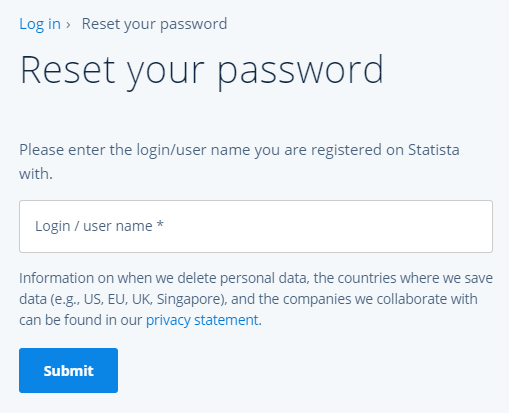
3. Submit your email address
After you submit your email address, we will check whether it is stored in our database. If the email address exists as a login or in the account address data, the system will send a reset link and display a success message.
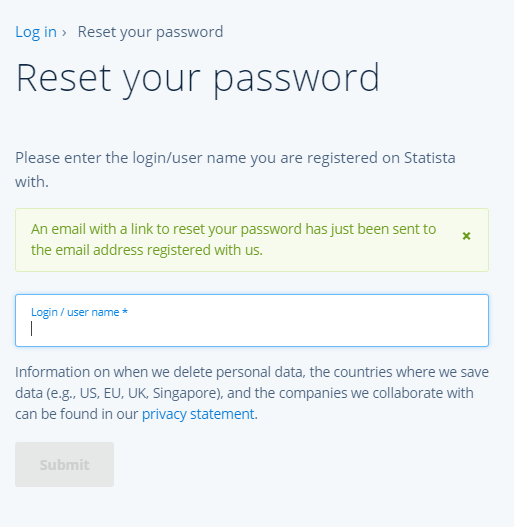
4. Reset your password
Click the reset-password link in the email you received. On the page that opens, enter your new password and confirm it by entering it again. Then click Save changes.

HINT: Sometimes our emails may end up in your spam folder. Please check your spam folder if you do not receive a reset-password email within 10 minutes. If you continue to experience trouble logging in, you can contact our customer service team for your region: support@statista.com and +1 (212) 433 2270 or eu.support@statista.com and +44 (0)20 8189 7000.